

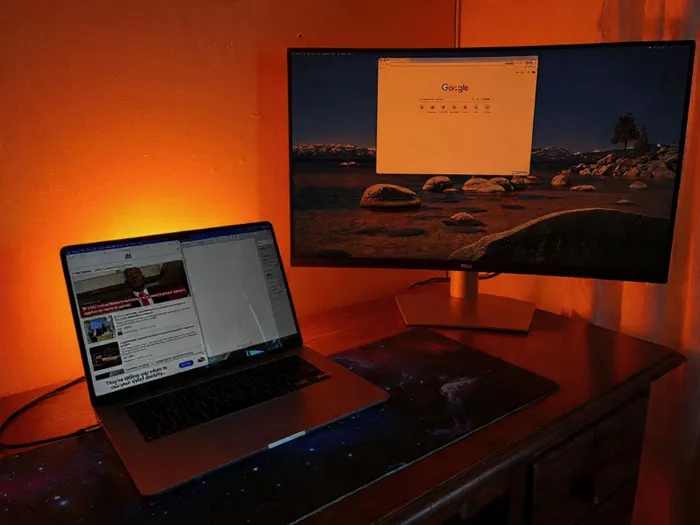
Expand your laptop’s screen space affordably with quick upgrades like portable monitors, TVs, traditional monitors, clip-on screens, or tablets, all without needing tech skills or a new device. Picture: Michael Sherman/IOL
Image: Michael Sherman/IOL
If you’re using anything smaller than a 15” laptop, the screen real estate is generally quite limited, but the solution may be more cost-effective than you think.
While laptops like the MacBook Air and MacBook Neo are in the 13” category, the most common screen size is around the 14” mark.
Even if you don’t do anything like photo or video editing, more screen space is always an advantage— even if you type out documents all day while web browsing at the same time.
The good news? You don’t need to buy a new laptop to fix it. In fact, there are several quick, affordable ways to expand your screen space in seconds.
Here are some of the easiest options anyone can use—no tech skills required.
This is as close as you get to an instant dual screen. These fairly recent additions to the tech world normally only require a USB-C port to power the monitor, and you can easily pick one up for around the R2,000 mark.
Most modern smart TVs these days offer an option to wirelessly connect, with brands like LG offering seamless display switching.
You can also use an HDMI cable to connect directly if it will suit your workspace.
Any laptop can effectively output to a traditional monitor, and any relatively recent monitor will have an HDMI input.
Even if you don’t have an HDMI port on your laptop, a USB-C will generally be able to output its display with a USB-C to HDMI cable.
These less traditional monitors clip on directly to your laptop screen to hold another display to the side of your main display.
Whether you’re on Windows or Mac, you can use a tablet you already own as a second display. It’s always best to use devices within the same ecosystem, so pairing a Mac with an iPad is incredibly easy and no external apps are needed.
The Windows side is also quite painless in this regard, as all you would need is a USB-C to USB-C to ensure good monitor response time.